Features
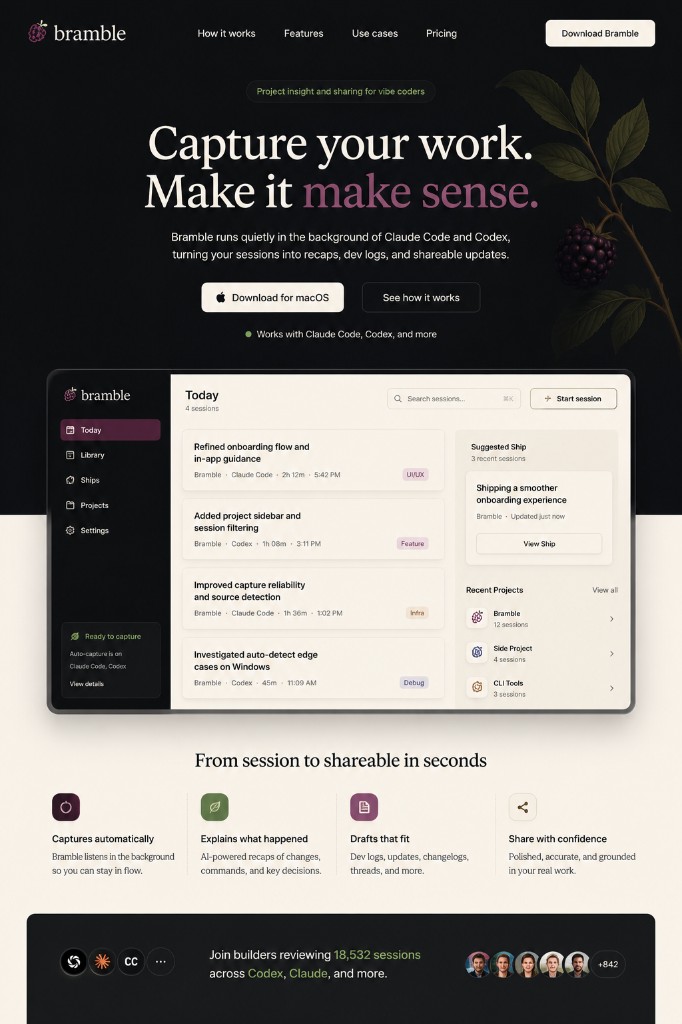
Everything after the AI coding session,
handled.
Bramble captures the work, cleans up the mess, remembers the project, and gives you notes and drafts that are actually useful.
Capture
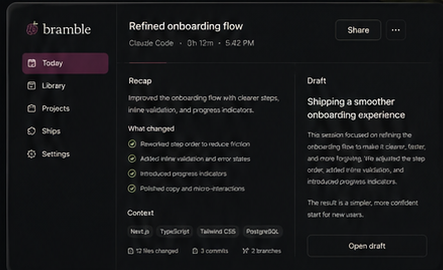
Auto-capture for AI coding sessions
Bramble listens for supported AI coding sessions and records the useful project activity in the background. You build normally. Bramble keeps the record.
- Auto-capture when you prompt in Claude Code or Codex
- Manual mode when you want tighter control
- Built for tools like Claude Code, Codex, and Cursor
Understand
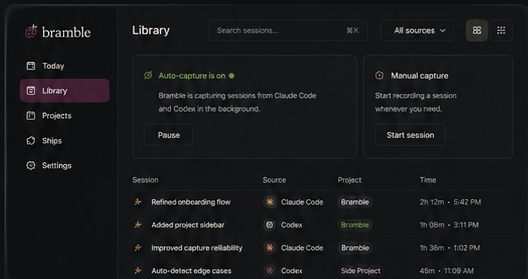
Human-readable changes
Bramble translates technical activity into project meaning, so changed files become understandable product progress—useful for founders, PMs, designers, and hobbyist builders.
- Outcome-based session notes
- What moved forward, what got stuck, what is still open
- Grounded in files, commands, and errors from the session
Share
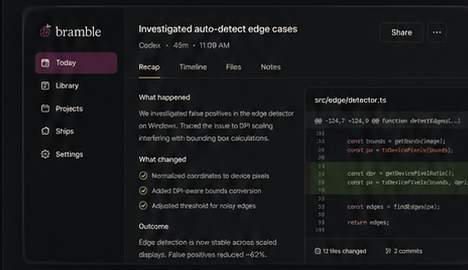
Notes and drafts from every useful session
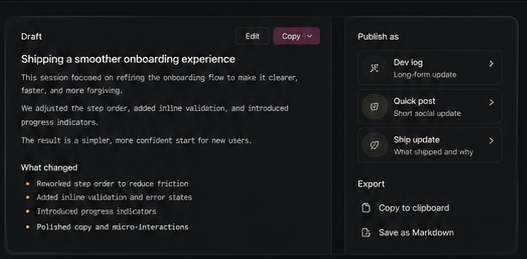
Open a session and get a clear recap plus draft formats for sharing: short update, dev log, changelog, thread, or a larger Ship. Less blank-page writing after the build.
- Recap and still-open items in one place
- Draft formats for different ways to share
- Save, copy, and refine in place
A calmer way to remember AI-assisted work
Capture the work once. Reuse the memory every time you continue or share.
Cleaner sessions, less noise
Tiny follow-ups and tool noise should not become confusing Library rows. Bramble groups or suppresses noisy fragments so sessions feel like coherent work.
Titles that say what happened
Bramble names sessions by the actual work so you can scan your Library without reading raw logs.
Project memory across sessions
Bramble remembers the arc of a project: recent wins, unresolved threads, recurring problems, and what changed since last time.
Where you left off
After meaningful sessions, Bramble keeps a short continuation brief: last known state, still-open items, and a safe next prompt.
Share what is worth sharing
Not every session deserves a public post. Bramble helps separate private project memory from progress worth turning into a draft.
Ships for bigger stories
Some work only makes sense across several sessions. Bramble can identify sessions that belong together as one build story.
Drafts closer to your voice
As you edit and reuse drafts, Bramble can learn your preferences—shorter posts, less hype, more concrete detail, or whatever fits you.
Quality checks before artifacts are ready
Bramble checks generated titles, notes, and drafts for raw source leaks, unsupported claims, and weak evidence.
Searchable library
Find sessions by title, project, or source in seconds.
Built with private project work in mind
Bramble is designed to minimize what it sends to models, redact sensitive values, and keep raw capture separate from generated artifacts.
Crash recovery for captured work
Bramble is built so interrupted sessions, partial writes, and app restarts can recover instead of losing meaningful work.
A calmer workflow
Built for long sessions with calmer contrast and cleaner hierarchy—content first, controls second.